

Anime Expeditions Equipment

28 illustrated Equipment records with compatible Unit links
Anime Expeditions Equipment Database
The database contains 28 illustrated Equipment records: 11 exclusive Unit Equipment links and 17 standard options. Search Damage, SPA, Range, Crit, or Income rolls, then open the compatible Unit before spending a lock or reroll.
28Equipment records
11Exclusive Unit Equipment
17Standard options
15Recorded roll ranges
28 equipment recordsRoll ranges are shown as recorded; the live item roll remains authoritative

Unit Equipment · 2 rolls
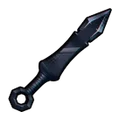
Hair Bells
- +1% to +5% Range
- +1% to +10% Damage
Exclusive to 8th Sword (Berserk)
Unit Equipment · 2 rolls
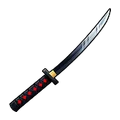
Spirit of the Moonblade
- +1% to +10% Crit Damage
- +1% to +10% Crit Chance
Exclusive to Reaper (Released)
Unit Equipment · 2 rolls
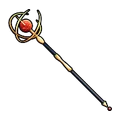
Elven Battle Staff
- +1% to +5% Damage
- -1% to -5% SPA
Exclusive to Elf Mage (Unleashed)

Unit Equipment · 2 rolls
Calamity’s Eye
- +1% to +5% Range
- +1% to +10% Damage
Exclusive to Puppet (Telekinetic)


Unit Equipment · 2 rolls
Webbed Fruit
- +1% to +10% Range
- -1% to -5% SPA
Exclusive to String Demon (Awakened)

Unit Equipment · 2 rolls
Emperor’s Attire
- +1% to +5% Range
- +1% to +10% Damage
Exclusive to Flame Emperor (Reincarnate)


Unit Equipment · 2 rolls
Technique Amplifier
- +1% to +5% Range
- -1% to -5% SPA
Exclusive to Salmon Sorcerer (Grade 1)

Unit Equipment · 2 rolls
Promise Ring
- -1% to -5% SPA
- +1% to +10% Damage
Exclusive to Cursed Student (True Love)
Standard Equipment · 2 rolls
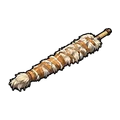
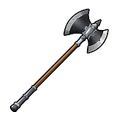
Soul Splitter
- +1% to +5% Range
- +1% to +10% Physical Damage Dealt
Standard slot option; match its stat family to the Unit's actual job.
Standard Equipment · 2 rolls
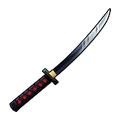
Warrior’s Axe
- -1% to -5% SPA
- +1% to +10% Physical Damage Dealt
Standard slot option; match its stat family to the Unit's actual job.
Standard Equipment · 2 rolls
Katana
- +1% to +5% Damage
- +1% to +10% Physical Damage Dealt
Standard slot option; match its stat family to the Unit's actual job.

Standard Equipment · 2 rolls
Magic Orb
- +1% to +10% Range
- +1% to +5% Damage
Standard slot option; match its stat family to the Unit's actual job.

Standard Equipment · 1 roll
Bamboo Bottle
- +1% to +10% Range
Standard slot option; match its stat family to the Unit's actual job.

Standard Equipment · 2 rolls
Raid Cape
- +1% to +5% Range
- +1% to +10% Damage
Standard slot option; match its stat family to the Unit's actual job.
Standard Equipment · 2 rolls
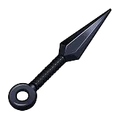
Kunai
- +1% to +10% Damage
- -1% to -5% SPA
Standard slot option; match its stat family to the Unit's actual job.

Standard Equipment · 1 roll
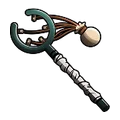
Magic Book
- +5% to +20% Magical Damage Dealt
Standard slot option; match its stat family to the Unit's actual job.
Standard Equipment · 1 roll
Pirate’s Slingshot
- +5% to +15% Range
Standard slot option; match its stat family to the Unit's actual job.
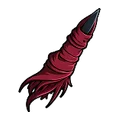
Standard Equipment · 2 rolls
Cursed Finger
- +1% to +10% Damage
- +1% to +5% Crit Chance
Standard slot option; match its stat family to the Unit's actual job.

Standard Equipment · 2 rolls
Elf Suitcase
- +1% to +5% Range
- +1% to +10% Magical Damage Dealt
Standard slot option; match its stat family to the Unit's actual job.
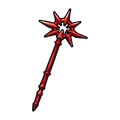
Standard Equipment · 2 rolls
Staff of Chaos
- -1% to -5% SPA
- +1% to +10% Magical Damage Dealt
Standard slot option; match its stat family to the Unit's actual job.
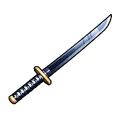
Standard Equipment · 2 rolls
Shinigami Sword
- +1% to +5% Damage
- +1% to +10% Crit Chance
Standard slot option; match its stat family to the Unit's actual job.
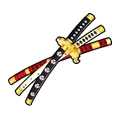
Standard Equipment · 1 roll
Three Swords From Hell
- +5% to +15% Damage
Standard slot option; match its stat family to the Unit's actual job.
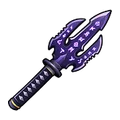
Standard Equipment · 1 roll
Accursed Equipment
- -1% to -10% SPA
Standard slot option; match its stat family to the Unit's actual job.

Standard Equipment · 2 rolls
Dragon Hilt
- +1% to +10% Crit Damage
- +1% to +5% Crit Chance
Standard slot option; match its stat family to the Unit's actual job.
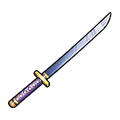
Standard Equipment · 2 rolls
Enhanced Katana
- +1% to +10% Crit Chance
- +1% to +5% Crit Damage
Standard slot option; match its stat family to the Unit's actual job.
No matching equipment
Clear the type or stat filter, or search a shorter unit or gear name.
Equipment decision layer
Read the roll for the Unit job, not the largest number
The 28 records answer “what is this item?” The useful follow-up is whether its stat family supports the Unit, mode, and repeat task you are actually running. Exclusive compatibility is a hard relation; standard gear needs a job check.
Verify the relation first
An exclusive item should be checked against its linked Unit before you spend a Lock or Reroll. If the Unit is not the one you are building, the roll can be irrelevant even when the stat value looks attractive.
Check: exact Unit → damage type → repeated taskChoose a stat family second
Standard options stay flexible. Match Damage to pressure, SPA to cycle speed, Range to coverage, Crit to a confirmed crit plan, or Income to the farming job instead of assigning one universal best item.
Check: stat family → attack cycle → modeProtect a proven roll
Use an Equipment Lock only when the current result solves the same blocker more than once. A high roll in the wrong family can cost more than a lower roll that keeps the Unit’s actual route stable.
Check: repeated result → compatible Unit → lockKeep the live item panel authoritative
Recorded ranges and compatibility links are reference evidence, not a promise of your next roll. When the in-game item shows a different value or effect, keep the entity identity and update the decision from the current panel.
Check: live roll → current build → next testThree records, three different decisions
The same roll value does not create the same upgrade
These examples show how to move from an item lookup to a defensible Unit decision. The record supplies the relation and stat family; the current build still supplies the final test.
Hexed Blade
Exclusive relation: Shadow (Divine)The exact Unit link matters before the roll. Its recorded Range and Damage families make it a sensible comparison for Shadow (Divine), but the live attack cycle and placement still decide whether the result is worth a Lock.
Open Shadow (Divine) →Magic Book
Standard relation: magical damageThis is not a universal carry item. Its recorded Magical Damage Dealt family should be compared with a Unit whose damage is actually Magical, then tested in the mode where that damage type solves a repeated problem.
Compare a Magical Unit →Kunai
Standard relation: cycle speed plus damageThe SPA and Damage pairing answers a different question from Range or Income. Use it when the Unit already earns value from repeated attacks; do not treat the two percentages as proof that the item improves a farm or support slot.
Check the Unit job →Reroll and lock route
Use one controlled test before changing the build
Equipment changes are easiest to understand when the Unit, mode, and task stay recognizable. This route gives the database a repeatable handoff into the Loadout Finder and Evolution pages.
- 1Identify the item and relation
Search the exact name, confirm whether it is Unit Equipment or Standard Equipment, and open the linked Unit when one exists.
- 2Name the repeated job
Choose carry damage, support/control, farm income, range coverage, or a specific boss/Story blocker before reading the roll.
- 3Change one variable
Keep the Unit, trait, stage, and task stable while testing one stat family or one Equipment roll.
- 4Lock only after the result repeats
When the same roll improves the same task more than once, preserve it; otherwise return to the previous baseline instead of stacking rerolls.
Next useful handoff
Use Loadout Finder to join a Unit’s job with its recorded Trait and Equipment relationships, then use Evolution Planner only when the item cost and Unit route are both supported.
Share this guide
Send the answer when another player hits the same blocker.
Share the current Anime Expeditions route, or copy the link for Discord and group chat.
Player questions
Equipment FAQ
Use the current game panel before spending rare resources on a value that can change.
How many Equipment records are listed?
The September 2 data check contains 28 records, including 11 Unit-exclusive Equipment links and 17 standard Equipment options.
Which Equipment works with Shadow (Divine)?
Hexed Blade is recorded as exclusive to Shadow (Divine). Open the linked Unit record before deciding whether its Range and Damage roll families fit the current build.
What is Unit Equipment?
Unit Equipment has an exact compatible Unit relation. Standard Equipment can be used more broadly and should be matched to the Unit's real attack cycle, coverage, crit plan, or farm job.
Should I lock the first high roll?
Only lock a result that supports the intended Unit job. A high number in the wrong stat family can still waste an Equipment Lock.
Are the shown values guaranteed rolls?
No. The page shows recorded roll ranges. The current in-game item result remains the exact value for your Equipment.