

Base and evolved Forms are different records; check deploy cost, range, element, role, and obtain route before comparing them.
Anime Expeditions Game Home
Released · July 17, 2026Last updated
Anime Expeditions
Claim the current Anime Expeditions codes first, then search 54 Unit and Form records, 55 Items, 28 Equipment records, 17 Traits, and 17 complete Evolution recipes. Build one stable team core before spending rare rerolls or shared materials.
Roster field notes
Anime Expeditions is a relationship workspace, not a unit list
A Unit Form matters because of what it connects to: an Evolution recipe, required Item, Equipment compatibility, Trait role, and team job. The Hub starts with that chain so a reroll or material spend has a visible reason.
Claim codes, define the team job, then subtract owned materials from one complete Evolution plan instead of farming by rumor.
Unranked or newly added does not mean weak; it means the current comparison set has not earned a stable placement yet.
Revisit signal: Come back when a banner, Form, Trait, or recipe changes the next material blocker or the job your team is missing.
Read the loop visually
Summon, build, then evolve with the record open
The hub keeps the roster, battle, and update context visible before you commit Gems, Traits, or Evolution materials.
 Identify the Unit FormOpen deploy cost, role, range, obtain route, and linked records.
  Fill the team jobCover carry, opening pressure, economy, and control before a second expensive project.
  Plan the next EvolutionSubtract owned materials and follow the exact blocker instead of guessing a farm route.
 Game-wide finder
Find a Unit, Item, Equipment piece, Trait, Code, or tool
Search 185 routes across the current data workspace.
Data workspace
The current build is connected, not split into isolated lists
Unit Forms link to Evolution recipes, recipes link to required Items, and exclusive Equipment links back to its compatible Unit.
54Units / Forms
55Items
28Equipment
17Complete recipes
90Recipe relations
34Relation-ready Units
UnitShadow (Divine)Open stats, recipe, equipment, and investment context. → EvolutionCombined requirementsSubtract inventory and expose the next material blocker. → ItemsSprite inventorySave owned counts and reuse them inside the Planner. → EquipmentHexed BladeCheck exact compatibility and recorded roll families.
First session
Build a stable account before optimizing a perfect one
Each step protects a flexible resource or creates the unlock needed by the next step.
Redeem before summoning
Claim the current code set, confirm each reward in-game, and keep Trait Crystals, locks, and rerolls out of the initial Gem budget.
Fill missing team jobs
Cover a dependable carry, opening pressure, economy when the wave allows it, and control before adding a second expensive damage project.
Compare the exact Form
Base and evolved Forms are separate records. Check deploy cost, raw panel DPS, placement, range, element, and the actual obtain route.
Plan one Evolution end to end
Select the target, enter inventory, confirm Unit Quest access, and farm the material family blocking the chosen priority.
Entity spotlight
Recognize the record, then open the useful relationship
These are visual entry points into the database—not isolated character pages or repeated tier claims.



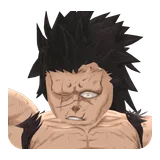
Mythic · Dark Magical
Cursed Immortal (Black Sun)
5 recorded Evolution requirements.
Plan this Evolution →

Codes, tier list, and databases
Open the Anime Expeditions page that answers your next decision
Use the codes board for rewards, the tier list for a dated comparison, the databases for named records, and the planners for an investment decision.
Tools
Plan, copy, save, or diagnose a repeat task.
Team BuilderFilter Anime Expeditions team builds by Story, Infinite, Raid, Challenge, Expedition, carry, economy, buffer, control, and blocker, then choose a route for your roster.Evolution PlannerPlan up to 17 Anime Expeditions Evolutions with combined recipes, owned inventory, Unit Quest availability, priority targets, shared material gaps, and a copyable next route.Loadout FinderChoose an Anime Expeditions Unit and the job you need it to perform, then see the recorded Traits, Equipment, and safe locking rule for that relationship.CodesCopy current Anime Expeditions codes, mark claimed rewards, troubleshoot invalid codes, and decide how to spend gems, Trait Crystals, locks, and rerolls.Data
Search entities, images, stats, uses, and compatible records.
UnitsSearch 54 Anime Expeditions Unit and Form records, compare known stats, and open connected Evolution, Item, and Equipment records.ItemsSearch 55 Anime Expeditions Items by category and rarity, see obtain routes and Evolution uses, and save owned material counts for the Evolution Planner.EquipmentSearch 28 Anime Expeditions Equipment records by type, stat family, item name, or compatible Unit, with recorded roll ranges and direct Unit links.TraitsCompare every Anime Expeditions trait, exact effects, roll chance, best roles, recommended units, and Keep or Reroll advice before spending Trait Crystals.Rankings
Use the dated release ranking without treating new additions as low tier.
Tier ListFilter 33 dated Anime Expeditions ranking records by role, mode, rarity, and Form, while keeping 21 current additions visibly unranked instead of forcing a tier.Resource order
Spend the reward only after naming the blocker
Use a summon to repair a missing team job, not to chase a duplicate before the current roster has a stable carry, opening, economy, or control answer.
Keep a trait result when it supports the Unit’s actual role and test it in the same mode before locking a temporary upgrade.
Open the complete recipe, subtract owned Items, and farm the named material family instead of spending on an unverified “best” stage.
Fast handoff
Three checks keep the account flexible
- 1
Claim codes and confirm the reward in the live Roblox panel.
- 2
Identify the Unit Form and its missing job before rerolling.
- 3
Plan one Evolution only when its Item and Unit links are complete.
Current boundaries
What the data can safely answer
Patch-sensitive checks
Recheck before a costly decision
Player questions
Anime Expeditions FAQ
Answers reflect the current status and check date shown on this hub.
What should I do first in Anime Expeditions?
Redeem the current codes, build a role-complete early team, then use the Unit and Evolution pages to choose one supported progression target. Hold rare rerolls until the Unit has a stable job.
Should I spend all my gems on the first banner?
Usually no. Spend to repair a clear weakness, then keep a reserve for a future banner or progression requirement. A deep summon session is easier to justify when you know the exact team job you need.
When should I reroll traits or stats?
Reroll after the unit has a stable role and enough investment to remain in the team. Use locks only when you know which result supports that role, because early materials disappear quickly when every temporary unit gets optimized.
How many Units and Items are in this Anime Expeditions database?
The September 2 data check contains 54 Unit and Form records, 55 Items, 28 Equipment records, 17 Traits, and 17 complete Evolution recipes. Later additions can remain unranked without disappearing from the searchable database.
Where should I start if I only need Anime Expeditions codes?
Open the Codes board to copy exact strings, mark claimed rewards on this device, and troubleshoot invalid or expired responses. Return to the Unit and Evolution pages only when a reward needs a named roster or material decision.