

Create a recoverable save copy before testing changed mission progress, Awakening, Mutation, or map state.
Palworld Game Home
Version 1.0 · July 2026 Last updated
Palworld Guide
Use this Palworld guide hub to answer the next practical question: which Pal covers a base job, which Partner Skill fits a route, how to return with carried materials, or whether an old save needs rebuilding. After the 1.0 and v1.0.4 updates, back up first, refresh the mission board, verify one changed dependency, and use the 292-Pal Work Suitability table, 747 job relations, and 284 image-matched Partner Skills to choose a controlled next test.
- Best first move
- Back up, then refresh missions
- Work database
- 292 verified Pals
- Work relations
- 747 verified jobs
1.0 returner field notes
Palworld 1.0 is an old-save inspection job
The first 1.0 session should not be a blind sprint into level 80 content. Back up the world, name the visible symptom, inspect the connected mission, Partner Skill, Work Suitability, party, or setting, then rebuild one system at a time.
A familiar Pal may no longer cover an old station plan; inspect Work Suitability and the real production bottleneck together.
Sunreach, the World Tree, new weapons, and level 80 progression are easier to approach after the old party and base are stable.
Record one working party job and one complete base cycle so a later change can be judged by a repeatable result, not by memory.
Revisit signal: Return after a major Palworld patch, an old-save mismatch, or whenever a base assignment seems to contradict the prior 1.0 plan. Re-open the exact system first; do not restart the whole world by default.
At a glance
Palworld at a glance
A Palworld 1.0 field guide connecting Pals, Work Suitability, Partner Skills, base staffing, fast travel, old-save checks, and progression without treating one build or server setting as universal.
- Release
- Version 1.0 · July 2026
- Platforms
- PC, PlayStation 5, and Xbox
- Developer
- Pocketpair
- Publisher
- Pocketpair
- Best first move
- Back up, then refresh missions
- Work database
- 292 verified Pals
- Work relations
- 747 verified jobs
- Partner Skills
- 284 image-matched effects
- Return route
- Statue, Palbox, or Thundercloud
- Latest mission check
- v1.0.4 · Sep 7
- High-risk checks
- Missions, skills, spawns, base, settings
World → worker → route
Keep the 1.0 decision chain visible
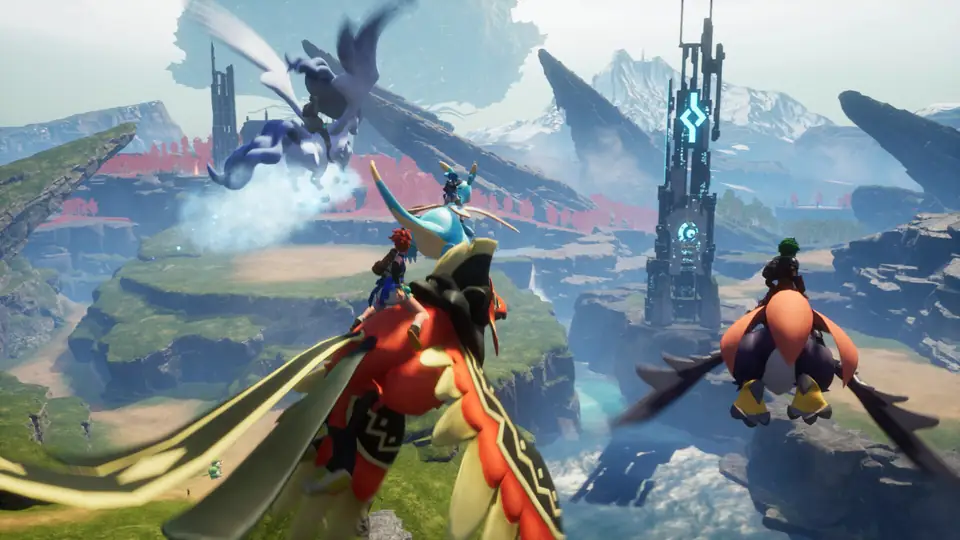
Use the world frame to re-orient, then identify the Pal job and verify the full base cycle before committing the next upgrade.


Quick actions
Open the player job in front of you
Each route leads to a current table, a repeatable first-session step, or a recovery answer.
Current blockers
A returning player should diagnose the broken handoff before chasing new content
Start from the problem you can name, then take the smallest safe next action.
My old mission progress changed
Main and sub-mission progress was reset for reward fairness, with some tutorial and Tower Boss progress restored from defeat state.
My old Pal team feels different
Partner Skills for more than 200 Pals were reworked and same-Pal stacking was restricted in most cases. Re-read every active team job.
My base assignments changed
Work Suitability now reaches level 10 and all Pals were rebalanced. Audit each production lane before expanding.
Which Pal should work this station?
Open the Work Suitability database, choose the failed job and minimum base level, then compare specialists with flexible workers before changing one assignment.
I need one Pal to cover two jobs
Use the Base Staffing Coverage Finder, choose the two competing lanes, then test the strongest shared candidate through one complete cycle before assigning more work.
How do I return to base safely?
Use the nearest activated Great Eagle Statue or Palbox when possible. Homeward Thundercloud returns you to the nearest base outside restricted areas; check world settings and death-drop rules before using a risky fallback.
What should I test when the old save loads but feels wrong?
Write down one visible symptom, reproduce it once, and change only the connected dependency: mission marker, Pal skill, worker assignment, travel route, or world setting. That keeps the original cause visible while you decide whether to keep, retest, or rebuild.
Returning-player route
Back up, inspect, then rebuild one system at a time
Version 1.0 changes progression, world placement, party skills, combat, and base work at the same time. A clean audit preserves the cause of every fix.
- 1Back up the save
Keep a recovery point before opening and rewriting the old world state.
- 2Read mission and map state
Check reset missions, new Watchtowers, settlements, islands, Sunreach, and the World Tree route.
- 3Audit party skills
Re-read Partner Skills, active skills, passives, work roles, and stacking behavior.
- 4Run the base
Watch one complete production cycle under the new Work Suitability balance.
- 5Record a baseline
Note the mission marker, worker, output, and fight that still work. This gives every later change a comparison point.
- 6Spend into 1.0
Pursue level 80, Awakening, Mutation, new weapons, and new areas after the old loop is stable.
Game systems
The update changes both goals and old assumptions
Use the Change Finder to decide whether to keep, retest, or rebuild each part of the save, then record the smallest test that can prove the choice.
| System | Player job | First move |
|---|---|---|
| World | Sunreach, World Tree, Watchtowers, islands, settlements, habitats. | Re-open the map. |
| Pals | 72 additions, Partner Skill rework, Awakening, Mutation, work balance. | Re-read the party. |
| Combat | Movement, active skills, Tower Bosses, commands, weapons. | Test one familiar fight. |
| Base | Work Suitability levels, facilities, UI, raids, production. | Observe one full cycle. |
| Recovery | Backups, settings, death-drop rules, and a reproducible baseline. | Write the symptom down. |
Risk board
Protect irreversible player effort
When a row says “Check in game,” confirm it before spending rare resources or changing an important save.
- Safe move
- Back up before the first 1.0 session.
- Avoid
- Using the only copy as the test save.
- Safe move
- Rebuild around distinct Partner Skill jobs.
- Avoid
- Assuming the old multiplier still stacks.
- Safe move
- Run one production cycle and retest staffing.
- Avoid
- Expanding before the bottleneck is visible.
- Safe move
- Capture one reproducible before/after test.
- Avoid
- Changing missions, party, base, and settings together.
Guide directory
Open the page that changes the next decision
Choose the route, comparison, database, or guide that matches what you need to do next.
Player questions
Palworld FAQ
Answers reflect the current status and check date shown on this hub.
Did Palworld 1.0 reset mission progress?
Main and sub-mission progress was reset for reward fairness, while some tutorial and Tower Boss missions can auto-complete from recorded defeat progress.
What is the Palworld 1.0 level cap?
The player level cap increased from 65 to 80.
How many new Pals were added?
Version 1.0 added 72 Pals: 47 new Pals and 25 variants, for 287 total.
Should I start a new world after Palworld 1.0?
Not automatically. Back up the old world and audit missions, settings, Partner Skills, base work, and spawn behavior before deciding.
How do I find a Pal for a specific base job?
Open the Work Suitability database, choose the failed job and a minimum level, then compare the 292 verified Pal records. Replace one worker and watch a complete cycle before changing layout or adding facilities.