

Use September 22, 2026 as the reminder, then verify the platform store, edition, Sauna bonus, and platform-specific outfit you will actually use.
Graveyard Keeper 2 Game Home

Available now Last updated
Graveyard Keeper 2 Guide
tinyBuild Support lists PC storefronts, PlayStation 4/5, Xbox One/Series X|S, Nintendo Switch, and Switch 2. Check your local store for entitlement; once in-game, use the Town, weekly order, corpse, or worker route that matches the blocker on your screen.
- Current state
- Available now
- Platform scope
- PC · PS4/5 · Xbox One/Series · Switch/Switch 2
- Town entry
- Signboard or Pride-day Warehouse board
Keeper field notes
Graveyard Keeper 2 is a handoff between Town, production, and the undead
The sequel expands the keeper loop beyond the graveyard: the Town is reclaimed district by district, businesses and infrastructure create markets and resources, and specialized zombies can carry work into farms, alchemy, workshops, and underground machines. This Hub keeps those systems connected without pretending that pre-release announcements already provide a recipe book, technology order, or combat spreadsheet.
Choose one Town district or business because of the market, housing, infrastructure, or production result it should create.
Assign worker zombies to a named station and prepare combat zombies for a named threat; test one variable before changing the whole base.
Revisit signal: Return after launch, a Town restoration, a worker assignment, or an army test changes which handoff is blocking the next keeper route.
At a glance
Graveyard Keeper 2 at a glance
A post-release field manual for the Town choices and undead work decisions that actually change the next action in your save.
- Release
- Available now
- Platforms
- PC storefronts, PlayStation 4/5, Xbox One/Series X|S, Nintendo Switch, and Switch 2
- Developer
- Lazy Bear Games
- Publisher
- tinyBuild
- Current state
- Available now
- Platform scope
- PC · PS4/5 · Xbox One/Series · Switch/Switch 2
- Town entry
- Signboard or Pride-day Warehouse board
- Body rule
- Choose the destination before surgery
A keeper’s work starts with one decision
Choose the next route, not the next database
The four public routes solve different jobs: unlock a Town supply, complete a weekly order, preserve a corpse for its purpose, or diagnose one worker cycle.

Quick actions
Open the player job in front of you
Each route leads to a current table, a repeatable first-session step, or a recovery answer.
Published reference shelf
Start with a named record, not a broad search
These are the concrete records and checks currently supported by this hub. Open the focused page for the complete table or route; the cards stay intentionally small so the Hub routes a job instead of duplicating every row.
Current blockers
What is the first decision in front of you?
Start from the problem you can name, then take the smallest safe next action.
Can I play Graveyard Keeper 2 on my platform?
tinyBuild Support lists PC storefronts, PlayStation 4/5, Xbox One/Series X|S, Nintendo Switch, and Switch 2. Check the exact local store for edition and entitlement.
A Town upgrade needs an item—what should I check?
Read the live signboard and compare the requested item with the seller’s current tier. Some reported upgrade routes require an outside craft before the target tier opens.
When do I collect orders and hand in Green Scrolls?
The reported route starts at the Warehouse board on Pride; Town orders use Factory supply boxes, while Linda’s New People option is reported for Lust day. Verify the current board and prompt.
Should I cut organs before deciding where the corpse goes?
No. Choose grave, worker, study, or crafting use first, record the body state, and compare every operation preview to that destination.
Why is my worker zombie not producing?
Check one station’s requirement, input, worker, supplier route, and output in order; change only the first link the live game does not confirm.
Choose a player route
Access → supply → schedule → preserve → automate
Use the route that matches the visible blocker; a released game does not make every database or combat claim current by default.
- 1Confirm the exact access lane
Match the hardware generation or PC storefront to tinyBuild Support, then verify your local store listing.
- 2Name the Town shortage
For an ordinary item or seller tier, read the signboard; for an order or happiness cap, use the current calendar route.
- 3Choose a corpse destination
Before autopsy, embalming, or pocket changes, record the current state and check the live preview against the intended use.
- 4Trace one worker cycle
At a station, follow its requirement, assigned worker, supply path, and output; preserve the old route until the retest works.
Game systems
Four useful routes, one current-state boundary
Each route produces a different next action and stops where the live game provides the better answer.
| System | Player job | First move |
|---|---|---|
| Platform access | Match the supported generation to the player’s storefront. | Verify regional edition and entitlement in the local store. |
| Town shop supply | Unblock one item or service through a plot and seller tier. | Read the signboard; test whether the upgrade input is available before that tier. |
| Weekly Town orders | Complete a current Pride-board order and resolve a happiness cap. | Use the live board and Factory box; check Linda’s prompt on Lust. |
| Corpse handling | Preserve one body for a grave, worker, study, or named craft. | Record skulls, organs, and pockets before the first operation. |
| Worker automation | Diagnose one production cycle at one station. | Trace requirement, worker, supply, and output in order. |
| Deferred reference | Exact quest graph, complete recipe/building tables, and combat meta. | Use the current in-game panel until typed coverage and independent verification exist. |
Risk board
Where a stale assumption can cost a run
When a row says “Check in game,” confirm it before spending rare resources or changing an important save.
- Safe move
- Match the exact generation and local store.
- Avoid
- Assuming every edition or generation has identical terms.
- Safe move
- Check whether the target tier stocks the item only after upgrade.
- Avoid
- Paying before finding the pre-tier craft source.
- Safe move
- Read the current Pride board and only build its visible inputs.
- Avoid
- Crafting for last week’s board.
- Safe move
- Record its state and postpone irreversible handling.
- Avoid
- Cutting parts before checking a live recipe or preview.
- Safe move
- Change only the first failed station-cycle link.
- Avoid
- Replacing workers, stations, and routes together.
Guide directory
Open the page that changes the next decision
Choose the route, comparison, database, or guide that matches what you need to do next.
Current access
Platform family is not the same as a local entitlement
The support page confirms broad platform generations; the store attached to your account answers the purchase question.
Answer
The current tinyBuild Support list covers PC storefronts, PlayStation 4 and 5, Xbox One and Series X|S, Nintendo Switch, and Switch 2. Use that list to identify the right family, then open the specific store for your region, edition, and account. It does not establish cross-save, cross-play, local price, or the terms of a particular edition.
Reasoning and evidence boundary (1)
If the store’s listing conflicts with the platform-family answer, stop at the local listing rather than carrying a broad announcement into an entitlement promise. Once access is settled, choose the in-game route below by what is actually blocking the save.
- ScopeUse the support list for platform generations.
- EntitlementUse your own regional store and account.
- NextMove to a Town, corpse, or worker task only after opening the game.
Town systems
Shop supply and happiness orders are two different Town jobs
One route unlocks a needed item; the other follows a calendar and a capacity ceiling.
Answer
If a recipe or station is missing an item, start with the signboard and seller tier. The Town Shop Supply route calls out circular upgrade dependencies: the target shop may only sell its own item after you have supplied the upgrade another way. That is a plot-and-source problem, not an order-board problem.
Reasoning and evidence boundary (1)
If you are planning weekly happiness, start on Pride with the current Warehouse board. The reported order handoff uses Factory supply boxes. If the happiness bar is full, inspect Town quality and the Lust-day Green Scroll interaction instead of producing goods for the wrong bottleneck. Both routes hand off to each other only when the player’s state actually changes from item supply to weekly capacity.
- Missing itemTown Shop Supply Route.
- Order/capTown Orders & Happiness.
- VerifyUse today’s signboard, order list, and calendar.
Undead systems
A body decision comes before a worker decision
Corpse handling changes one body; automation troubleshooting follows a prepared worker into one station.
Answer
At the table, choose whether a corpse is meant for a grave, a worker, study, or a specific craft before changing its organs or pockets. The reported skull and body-part effects are not a universal formula; the live operation preview must still match the purpose you chose. An error state is a reason to stop, not to chain speculative procedures.
Reasoning and evidence boundary (1)
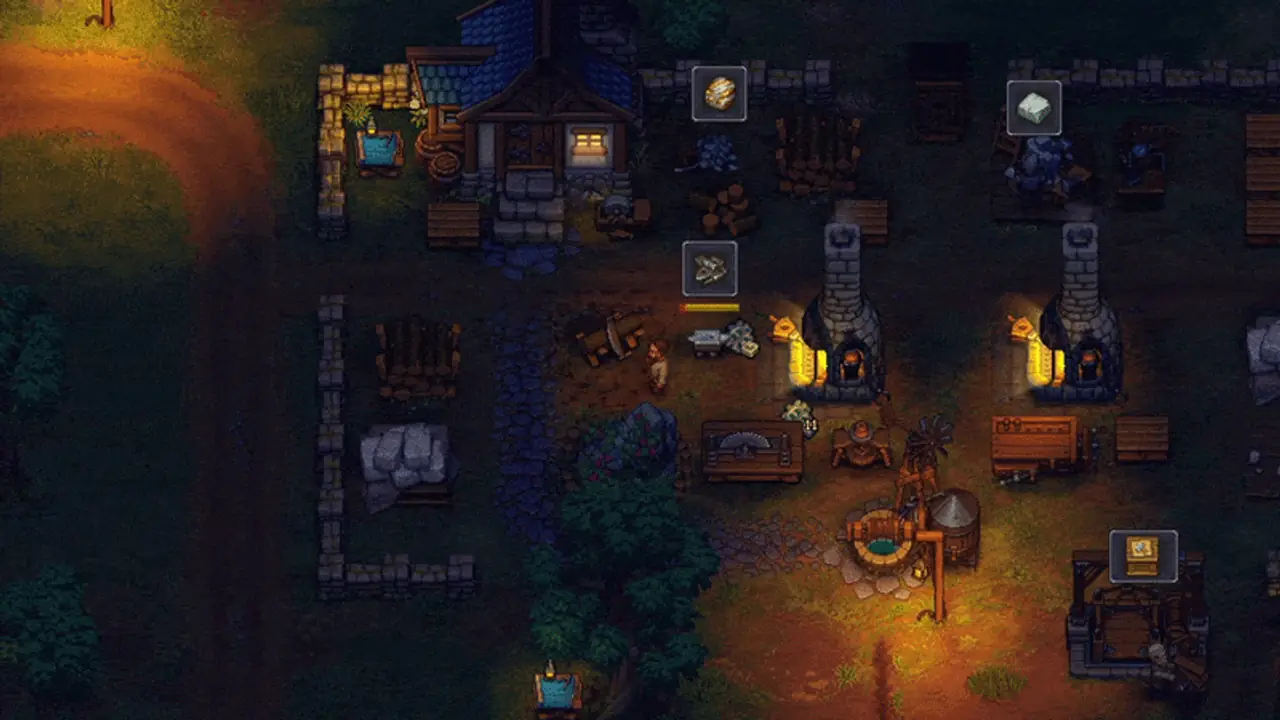
At the Factory, debug one worker cycle from the station outward: job and tools, inputs, assigned specialist, supplier route, then output. Quarrying, farming, alchemy, regular workbenches, and underground machines are distinct work lanes. A worker’s potential is not a measured efficiency result, and an army equipment build is intentionally not mixed into this production route.
- Before surgeryUse Corpse Handling & Zombie Preparation.
- After preparationUse Zombie Worker Automation.
- CombatArmy builds remain outside this evidence-backed public set.
Player questions
Graveyard Keeper 2 FAQ
Answers reflect the current status and check date shown on this hub.
Can I play Graveyard Keeper 2 now?
Yes. The game is available now. tinyBuild Support lists PC storefronts, PlayStation 4/5, Xbox One/Series X|S, Nintendo Switch, and Switch 2; confirm your exact local store and edition.
Where do Town orders start?
The reported weekly route starts at the Town Warehouse board on Pride day; use the offers currently visible in your game.
What should I do before an autopsy?
Choose whether the body is for a grave, worker, study, or specific craft, then record its visible state and read the operation preview.
Why is a worker zombie not producing?
Check the station job and tools, available inputs, worker assignment, supplier route, and output destination before changing the rest of the Factory.
Does this Hub include a complete quest, recipe, or combat database?
No. Full quest dependencies, complete building/recipe coverage, and numeric worker or combat rankings remain outside the verified public scope.