

Go-Go Town Systems & Controls
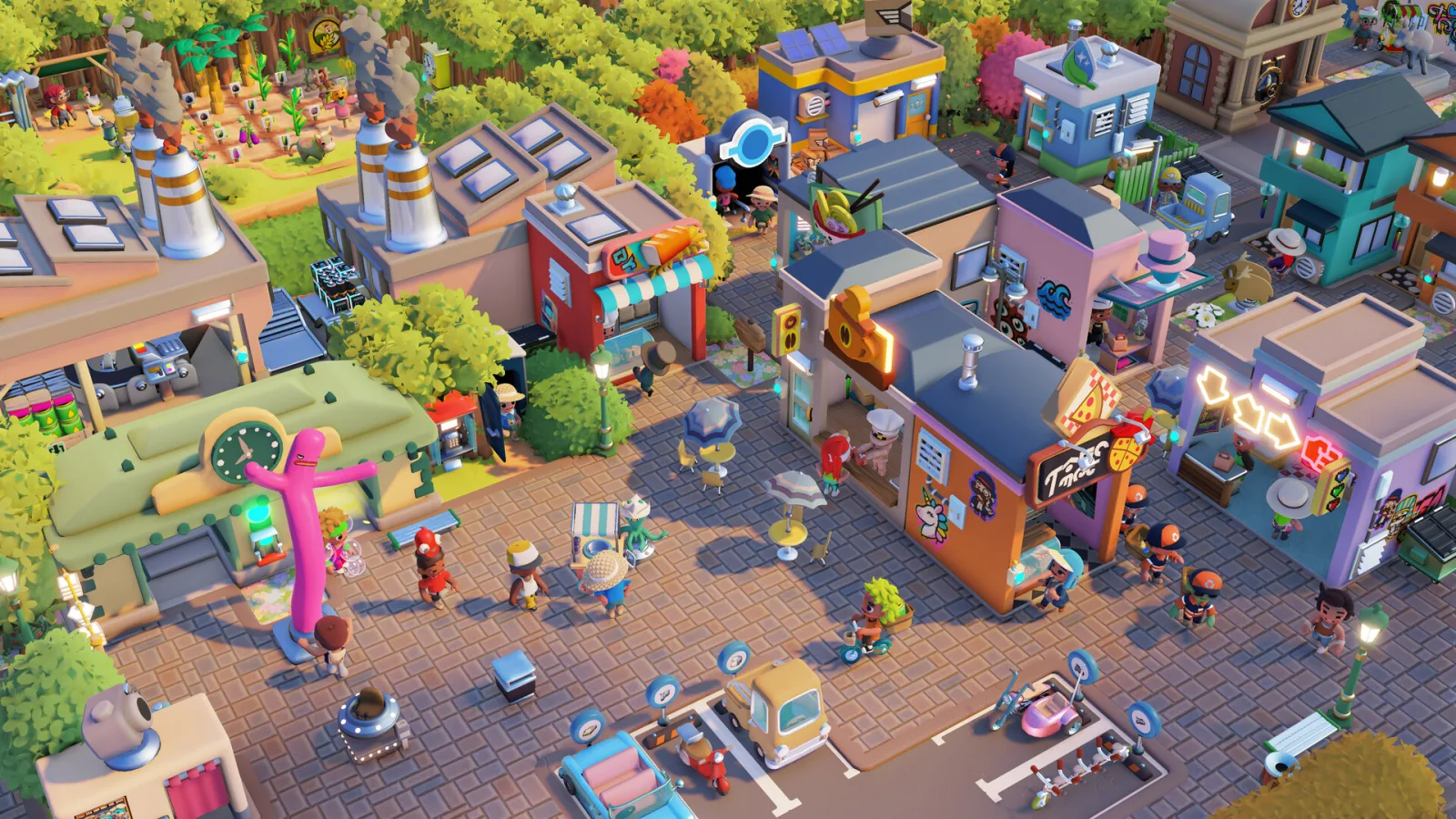
PC and controller controls, resources, EGO, Couriers, co-op, Creative Mode, and legacy saves
Go-Go Town Systems, Controls & 1.0 Route
Open the phone first, confirm the PC or controller binding you need, reserve Coins and EGO for the named requirement, prove one manual source-to-shop loop, then automate the repeated handoff around EGO Tier 3. PC supports up to four online players while Switch uses two-player split-screen; Creative Mode is for layout tests, not economy proof.
What this page is for
A compact systems desk that connects the specialist 1.0 reference to the bottleneck finder without publishing a copied building or item catalog.
Use the page in three moves
Query first, test second, recover cleanly
Go-Go Town systems and 1.0 reference is a server-rendered reference with a light selector layered on top. Start from the named blocker, narrow once, and leave the full answer visible when a filter would hide useful context.
- 01Name the job
Start with the player problem, then use the search a system, control, ego source, platform, or 1.0 change control instead of scanning every row.
- 02Read one matching record
Use the go-go town systems and 1.0 reference result to compare the job, fields, confidence, and safe next action before changing another variable.
- 03Verify the live result
Run the smallest test that can disprove the current plan, keep the baseline you can reproduce, and record the exact condition that changes your next move.
Covered on this pagecontrols · progression · resources · automation · co-op · 1.0
Best first queryMove
If nothing matchesNo matching town system
Start with the input
A control is only useful when it starts a town state you can follow
This page answers the diagnostic question behind a missed interaction: did the input fail, or did the system that received it fail later?
Reproduce one action in a quiet place before touching the layout. Use the current prompt or binding, open the Mayor phone when the action belongs to a challenge, and note the first visible state change. A control that never registers is a different problem from a control that spends EGO, starts a processor, or assigns a route but produces no result.
Once the input is proven, name the system owner. EGO and Coins are not interchangeable, and a Courier, worker, Processor, Depot, or Maintenance route can each own a different part of the same symptom. Follow one complete source-to-result cycle and stop at the first empty crate, unreachable endpoint, idle owner, or missing destination rather than editing several systems at once.
The reference deliberately keeps controls beside the economy and handoffs they trigger. That makes a returning 1.0 save easier to diagnose: repeat the old action, compare the prompt and first changed handoff, and preserve the old district while you test the smallest dependency that moved.
- InputConfirm the prompt and binding before diagnosing a building or route.
- OwnerName the resource, worker, Courier, or building responsible for the next state.
- ProofWatch one full cycle before buying capacity or rebuilding the town.
Read the phone first
The Mayor phone turns a vague goal into a bounded experiment
A Rank Challenge or blueprint is a current requirement, not a reason to expand every visible category.
Open the phone and read the named challenge before spending Coins, EGO, or a boundary unlock. If the requirement is population, revenue, cleanliness, or tourism, connect it to the smallest route that can produce visible proof. A larger town can still fail the same requirement when the source, worker, service, or destination remains out of reach.
Keep the first district as the comparison point. In co-op, give one player the phone and demand call, another the route or staffing check, and a third the visible output check; temporary ownership keeps several people from changing the same chain and erasing the cause.
Use Creative Mode as a layout test, not as evidence that the economic town is healthy. It can answer whether a road or blueprint is readable, while the normal save must still prove worker time, stock, maintenance, and the actual Coin or EGO cost.
- ChallengeUse the exact phone wording as the test target.
- BaselineKeep one working shop or worker loop unchanged while testing.
- Co-opGive one person ownership of the current diagnosis.
Return to a legacy save
Compare one old loop before calling a 1.0 town broken
A migrated save needs a small before-and-after test because progression, controls, staffing, and logistics can all change together.
Back up the world, reopen the first shop or route you remember working, and write down the first divergence. Check the Mayor phone, the worker or Courier assignment, the crate state, and the destination in that order. A changed unlock prompt and a damaged supply path may look similar from the street but require different recovery actions.
If the route still works, keep it as the baseline while checking a new system. If it fails, duplicate or preserve the save and repair only the first changed handoff. Do not demolish the district to recreate a remembered layout; the old arrangement is useful evidence even when one rule around it has moved.
This page stops at a confirmed comparison. Exact thresholds, balance, and platform behavior belong to the live client, so the safe output is a next test and a protected save—not a guessed universal unlock list.
- ProtectKeep the original save before the first 1.0 test.
- CompareRepeat one known action with one unchanged route.
- RepairMove only the dependency that explains the first divergence.
Controls, resources, priorities, automation, co-op, and current hotfixes
Repeat-delivery system
Switch local vs PC online
Town setup route
Open the phone → prove one loop → automate → expand
This reference connects controller and PC controls, resource choices, and 1.0 systems to the bottleneck finder; it is not a copied building catalog.
- 1Open the phone before buying land
Read the Rank Challenge, blueprint, or quest that actually controls the next unlock.
- 2Prove one manual loop
Follow one worker and one item from source to shop before adding automation.
- 3Automate the repeated leg
Use Resource Zones, Processors, Depots, Couriers, and Maintenance only after the handoff is readable.
- 4Scale one pressure at a time
A new district, co-op owner, or Creative Mode test should not overwrite the stable baseline.
Systems Reference
Go-Go Town systems and 1.0 reference
Open the phone first, confirm the PC or controller binding you need, reserve Coins and EGO for the named requirement, prove one manual source-to-shop loop, then automate the repeated handoff around EGO Tier 3. PC supports up to four online players while Switch uses two-player split-screen; Creative Mode is for layout tests, not economy proof.
33 matches Go-Go Town systems and 1.0 reference
Town system reference · controls
Move
The PC default movement is W A S D.
- Default
- W A S D
- Test
- Walk one full route
Player job
Reach a building, node, or road without losing the next town landmark.
Use now
Use the current binding to walk one complete source-to-shop route before editing the layout.
Safe next action
Keep the first test near the arrival road so a control problem is not mistaken for a logistics failure.
Risk
Changing every binding at once makes a missed interaction harder to isolate.
Town system reference · controls
Interact
The PC reference lists F as the default interact key.
- Default
- F
- Useful for
- Buildings, NPCs, nodes
Player job
Use a building, NPC, resource node, or object during the first district.
Use now
Press F at one building and one live resource node before deciding the object is unavailable.
Safe next action
Check the prompt and object state before moving the building.
Risk
A missed interact prompt can look like an empty or broken resource chain.
Town system reference · controls
Mayor phone widget
The 1.0 reference uses TAB to open the phone widget on PC.
- Default
- TAB on PC
- Read
- Quests, Rank Challenges, blueprints, town stats
Player job
Read quests, Rank Challenges, blueprints, and town stats before building around a guess.
Use now
Open the phone and read the named challenge before buying a boundary or adding a new chain.
Safe next action
Keep the current requirement visible while testing the change it asks for.
Risk
Expanding from town size alone can spend Coins without advancing the actual challenge.
Town system reference · controls
Sprint and build mode
The PC defaults list Left Shift for sprint and B for build mode; verify both in settings if the prompt differs.
- Sprint
- Left Shift
- Build mode
- B (verify in settings)
Player job
Move quickly between route checks and enter placement mode without confusing travel with construction.
Use now
Test sprint and build mode separately in an empty road segment before editing a live supply chain.
Safe next action
Return to the normal movement state before judging worker or Courier travel.
Risk
A build-mode detour can hide the real route length you are trying to measure.
Town system reference · controls
Controller cancel
The controller reference lists B on Xbox and Circle on PlayStation for cancel.
- Xbox
- B
- PlayStation
- Circle
Player job
Back out of a placement, menu, or phone choice without changing the town state.
Use now
Use the cancel button once in an empty placement preview before editing a live road or building.
Safe next action
Keep the town paused while learning a new controller binding.
Risk
A mistaken confirm can place or change something before the route baseline is recorded.
Town system reference · controls
Controller interact and confirm
The controller reference lists A on Xbox and Cross on PlayStation for interact or confirm.
- Xbox
- A
- PlayStation
- Cross
Player job
Open a prompt, confirm a placement, or use a town object without reaching for the keyboard.
Use now
Confirm one building prompt and one resource node, then return to the route you were testing.
Safe next action
Separate interact tests from a live supply-chain change.
Risk
A controller prompt can be mistaken for an unavailable object when the wrong button is used.
Town system reference · controls
Controller phone and quests
The controller reference lists Y on Xbox and Triangle on PlayStation for the phone or quests view.
- Xbox
- Y
- PlayStation
- Triangle
Player job
Read the current quest, Rank Challenge, blueprint, or town statistic from a controller session.
Use now
Open the phone before buying land and read the named requirement aloud in co-op.
Safe next action
Keep the phone requirement visible while testing one response.
Risk
Expanding from a generic town goal can spend resources without advancing the named challenge.
Town system reference · progression
EGO sources
Rank Stars, quests, exports, and periodic events are the recurring EGO sources in the current reference.
- Sources
- Rank Stars · Quests · Exports · Events
- First check
- Phone → current requirement
Player job
Choose the least disruptive way to fund the next automation or tech unlock.
Use now
Open the phone, name the next EGO gate, then batch the source that fits the current district instead of chasing every activity.
Safe next action
Keep one stable shop and worker loop running while you complete a Rank Challenge.
Risk
A batch of EGO does not repair a broken supply chain by itself.
Town system reference · progression
Rank Challenges
The phone lists the active Rank Challenge and its named requirements.
- Where
- Mayor phone
- Decision
- Named requirement before expansion
Player job
Advance the town without guessing which building or district unlocks next.
Use now
Complete the visible challenge requirements and leave the first district stable while the Rank Star resolves.
Safe next action
Use the exact challenge text as the checklist, not a generic town-size target.
Risk
Blind expansion can add route pressure while the actual Rank requirement remains incomplete.
Town system reference · resources
Coins
The current reference identifies Coins as the gold resource for buildings, stock, and land unlocks.
- Color
- Gold
- Used for
- Buildings · stock · land unlocks
Player job
Reserve the spendable currency for buildings, stock, and land decisions that keep the first district running.
Use now
Read the next phone requirement, reserve the amount needed for the current supply loop, then spend the remainder on one visible bottleneck.
Safe next action
Keep an operating buffer before unlocking a distant parcel.
Risk
A land purchase can leave the original shop without the stock or service budget it needs.
Town system reference · resources
EGO
The current reference identifies EGO as the blue resource for tech packs and tier progression.
- Color
- Blue
- Used for
- Tech packs · tier progression
Player job
Choose the blue progression resource that opens technology and tier decisions instead of treating it as ordinary shop cash.
Use now
Open the phone, name the next EGO gate, and batch the source that fits the existing town loop before expanding.
Safe next action
Keep one stable Coin-producing route while earning EGO.
Risk
Spending or chasing EGO without a working town loop leaves the next unlock surrounded by the same logistics failure.
Town system reference · resources
Materials
The current reference groups Materials as a flexible input for crafting, exports, and shop goods.
- Used for
- Crafting · exports · shop goods
- First check
- Source → handoff → destination
Player job
Keep raw and finished materials visible as the bridge between gathering, crafting, exports, and shop goods.
Use now
Trace one material from its node or crate through processing to its next destination before adding capacity.
Safe next action
Leave open space at the handoff crates so a full endpoint is not mistaken for a missing input.
Risk
Adding processors or shops around an unknown material route multiplies blocked storage.
Town system reference · automation
Couriers
Couriers become the main repeat-delivery answer around EGO Tier 3.
- Unlock signal
- Around EGO Tier 3
- Check
- Source · destination · road · one full cycle
Player job
Convert a repeated manual delivery into a route the town can observe and correct.
Use now
Assign the exact source and destination crates, confirm road access, and watch one full pickup and drop-off.
Safe next action
Stabilize the manual path before adding a second Courier.
Risk
Automating a wrong endpoint makes the same shortage repeat faster.
Town system reference · automation
Resource Zones
Resource Zones organize worker gathering around valid resource nodes and an output crate.
- Inputs
- Wood · Ore · Crop · Fish
- First test
- Live nodes + assigned worker + open output
Player job
Keep Wood, Ore, Crop, or Fish gathering focused on live nodes rather than a large empty area.
Use now
Paint a compact zone over live nodes, assign the worker, and verify the output crate can accept the result.
Safe next action
Redraw the zone over live nodes and keep the output crate clear before changing worker capacity.
Risk
A large zone that misses the nodes produces no useful stock even when the worker is assigned.
Town system reference · automation
Garbirds and Maintenance
Garbirds help early cleanup; Maintenance becomes the stronger midgame coverage system.
- Early cleanup
- Garbirds
- Midgame coverage
- Maintenance
Player job
Keep the operating loop from collapsing under trash and repeated breakdown trips.
Use now
Place coverage near the repeated waste or repair source and observe whether the same manual trip disappears.
Safe next action
Overlap service coverage before opening a remote district.
Risk
A distant expansion can create more cleanup and repair travel than the service cycle can handle.
Town system reference · co-op
PC and Switch co-op limits
The current release reference lists up to four players on PC and two-player split-screen on Switch.
- PC
- Online up to 4
- Switch
- Two-player split-screen
Player job
Choose a session format that matches the platform before assigning mayor jobs.
Use now
Set the player count and ownership plan before placing buildings or spending EGO.
Safe next action
Confirm the platform and player count in the lobby before building a shared district.
Risk
Do not promise a four-player local Switch session from the PC limit.
Town system reference · co-op
Mayor and Vice-Mayor permissions
The host is Mayor; guests join as Vice-Mayors with configurable permissions.
- Host
- Mayor
- Guests
- Vice-Mayors with permissions
Player job
Let a group help with placement and logistics without losing control of the town’s expensive decisions.
Use now
Set who can spend EGO, bulldoze, change roads, or only handle a named system before inviting the group.
Safe next action
Give one temporary owner to roads, staffing, supply, and demand during a diagnosis cycle.
Risk
Several players changing the same chain at once removes the baseline needed to find the cause.
Town system reference · 1.0
Creative Mode
Creative Mode is the sandbox route without normal economy pressure.
- Purpose
- Sandbox building without economy pressure
- Best use
- Blueprint and road experiments
Player job
Test layouts and blueprints without turning an economic save into a construction experiment.
Use now
Use it to test a road, shop shape, or district idea, then return to the economic town before judging Coins and EGO progression.
Safe next action
Keep a separate experiment from the save whose logistics you are trying to repair.
Risk
A layout that works in Creative Mode can still fail once worker time, stock, and expansion costs return.
Town system reference · 1.0
Legacy save handoff
The current launch reference keeps Early Access saves in the ggt_legacy path.
- Save note
- ggt_legacy
- First audit
- Shop · phone · logistics
Player job
Return to an older town without mixing the pre-release save state with the full-release route.
Use now
Back up the old save, open the legacy handoff, and audit the first shop, phone challenges, and logistics before rebuilding.
Safe next action
Use the old world as a testable baseline; do not overwrite it during the first 1.0 session.
Risk
A legacy conversion problem can look like a missing building or broken worker assignment.
Town system reference · automation
Recipe chain stages
The current recipe reference separates Raw, Refined, Finished, and Sale stages.
- Stages
- Raw → Refined → Finished → Sale
- First test
- One complete item route
Player job
Keep a raw input, processor, finished-good, and shop route visible before adding a second recipe.
Use now
Trace one item from a valid source through the processor and into the shop shelf before expanding the chain.
Safe next action
Leave one open crate at each handoff so a full destination does not look like a missing recipe.
Risk
Adding another processor can hide a blocked output stage instead of increasing useful stock.
Town system reference · co-op
Co-op spending permissions
The co-op permissions reference flags spending EGO, demolishing, land unlocks, and zone edits as separate risk surfaces.
- Protect first
- EGO · demolish · land unlock
- Use carefully
- Zone edits
Player job
Let guests repair roads and routes without letting an accidental toggle consume EGO or demolish a depot.
Use now
Set only the permissions needed for the current diagnosis, then return them to a restricted state before the next expansion.
Safe next action
Keep one Mayor responsible for irreversible or expensive changes.
Risk
Multiple players editing permissions during a route test removes the baseline and can delete a working endpoint.
Town system reference · automation
Fishing automation props
The current reference groups Crab or Lobster Pots, a Fishing Zone Time Clock, Seafood Converter, and Rice Paddy by route job.
- Early
- Crab/Lobster Pots
- Later
- Time Clock · Converter · Rice Paddy
Player job
Choose the fishing prop that matches passive capture, worker timing, or processed goods instead of placing every option.
Use now
Name the fishing output you need, place the matching prop, and verify one worker or processing cycle before scaling.
Safe next action
Keep the first fishing zone near its output route so a long return trip does not mask the catch rate.
Risk
A later-tier prop cannot repair a missing early fishing zone or blocked output crate.
Town system reference · 1.0
Post-launch patch check
Recent 1.0 patches changed fishing timers, crafting prompts, Garbird pressure, imports, and co-op stability.
- Examples
- Fishing · Garbirds · imports
- Rule
- Retest one loop after a patch
Player job
Recheck balance-sensitive loops after a 1.0 hotfix instead of treating the first launch table as permanent.
Use now
Read the active patch note, then retest one affected loop in the baseline town before rebuilding around the change.
Safe next action
Keep the old route and the new route comparable during the first verification cycle.
Risk
A hotfix can look like a broken town when the underlying timing or cap simply changed.
1.0 patch check · 1.0
1.0 launch
1.0 launch (Jul 16, 2026) changed Creative Mode, Treasure Hunting, and the economy baseline. Use it as a focused retest trigger instead of rebuilding every district.
- Build
- 1.0 launch
- Date
- Jul 16, 2026
- Focus
- Creative Mode, Treasure Hunting, and the economy baseline
Player job
Returners need a clean post-launch baseline before comparing an old save.
Use now
Open the phone, run one source-to-shop loop, and record the first behavior that differs from the old town.
Safe next action
Keep the Early Access save untouched while the new loop is verified.
Risk
Treating a launch change as a broken save can lead to an unnecessary rebuild.
1.0 patch check · 1.0
Patch 1.0.25831
1.0.25831 (Jul 16, 2026) changed Tech Tree rebuy, Export removal, and fishing buffs. Use it as a focused retest trigger instead of rebuilding every district.
- Build
- 1.0.25831
- Date
- Jul 16, 2026
- Focus
- Tech Tree rebuy, Export removal, and fishing buffs
Player job
Check progression spending and fishing output after the launch hotfix.
Use now
Retest one EGO purchase and one fishing handoff before changing production capacity.
Safe next action
Compare the same route before and after the patch with the output crate visible.
Risk
A changed export or fishing rule can look like a missing resource chain.
1.0 patch check · 1.0
Patch 1.0.25859
1.0.25859 (Jul 18, 2026) changed Co-op achievements and save stability. Use it as a focused retest trigger instead of rebuilding every district.
- Build
- 1.0.25859
- Date
- Jul 18, 2026
- Focus
- Co-op achievements and save stability
Player job
Verify a returning co-op group before committing to a long shared session.
Use now
Have the host and one guest complete a short route, reconnect once, and confirm the save remains readable.
Safe next action
Use a copied or legacy save for the first stability check.
Risk
A co-op save check is more useful than rebuilding permissions during a live district test.
1.0 patch check · 1.0
Patch 1.0.25886
1.0.25886 (Jul 20, 2026) changed Garbird balance, tutorial fixes, Imports App, and displays. Use it as a focused retest trigger instead of rebuilding every district.
- Build
- 1.0.25886
- Date
- Jul 20, 2026
- Focus
- Garbird balance, tutorial fixes, Imports App, and displays
Player job
Recheck cleanup coverage and the import route when an old town suddenly feels slower.
Use now
Test one dirty street and one import/display handoff before adding service capacity.
Safe next action
Keep the old maintenance route as a comparison line.
Risk
Adding Garbirds without checking the changed pressure can hide the actual balance shift.
1.0 patch check · 1.0
Patch 1.0.25917
1.0.25917 (Jul 22, 2026) changed Vehicle import cap, train station, and co-op polish. Use it as a focused retest trigger instead of rebuilding every district.
- Build
- 1.0.25917
- Date
- Jul 22, 2026
- Focus
- Vehicle import cap, train station, and co-op polish
Player job
Check remote transport and shared-town behavior after the latest listed hotfix.
Use now
Run one import or station route and one short co-op cycle before opening a new district.
Safe next action
Reserve a clear depot and road path for the test.
Risk
A new cap or station rule can make a previously valid route appear idle.
1.0 patch check · 1.0
Hotfix 1.0.26395
1.0.26395 (Aug 31, 2026) changed Save-load exceptions, online wildlife visibility, and long-session movement. Use it as a focused retest trigger instead of rebuilding every district.
- Build
- 1.0.26395
- Date
- Aug 31, 2026
- Focus
- Save-load exceptions, online wildlife visibility, and long-session movement
Player job
Returning players and online hosts need to separate a load failure from a route or assignment failure.
Use now
Back up the town, load the same save once, then check one wildlife client and one short online movement route before changing the district.
Safe next action
Keep the last known-good save and test with one guest before a long co-op build session.
Risk
A client-only visual or movement fault can look like missing wildlife, a broken route, or a corrupt town when the save itself is still readable.
1.0 patch check · 1.0
Hotfix 1.0.26420
1.0.26420 (Sep 1, 2026) changed Fluff bush forage attempts and spawn amounts. Use it as a focused retest trigger instead of rebuilding every district.
- Build
- 1.0.26420
- Date
- Sep 1, 2026
- Focus
- Fluff bush forage attempts and spawn amounts
Player job
Players farming early forage need a current baseline before judging a resource-zone or recipe shortage.
Use now
Run one compact Fluff-bush route and compare the source output, worker handoff, and downstream recipe before adding more zones.
Safe next action
Keep the old route as a comparison and change only the resource source or its output endpoint.
Risk
A resource balance adjustment can resemble a blocked worker or processor if the new source yield is treated as the old baseline.
Town system reference · progression
EGO must-buy priorities
The current priority reference puts workers, storage, and Tier 3 Couriers ahead of cosmetic purchases.
- Priority
- Workers · storage · Tier 3 Couriers
- Proof
- One repeated task becomes observable
Player job
Spend early EGO on the systems that remove repeated manual work.
Use now
Name the next repeated failure, then choose the smallest EGO unlock that removes that handoff.
Safe next action
Keep a working Coin loop while saving for the selected tier.
Risk
Buying decoration first leaves the same worker or delivery bottleneck in place.
Town system reference · progression
EGO recommended priorities
The current priority reference places zone prerequisites and depot upgrades after the core worker and storage baseline.
- Priority
- Zone prerequisites · depot upgrades
- Proof
- The same route completes with less manual rescue
Player job
Use zone prerequisites and depot upgrades when the first route is stable but scaling creates a new constraint.
Use now
Upgrade the handoff that is already proven to be the limiting stage; do not spread upgrades across every district.
Safe next action
Keep one unmodified route as a comparison baseline.
Risk
Upgrading a downstream depot cannot repair a missing source or invalid Resource Zone.
Town system reference · progression
EGO optional priorities
The current priority reference treats decorations and emotes as optional rather than progression-critical.
- Priority
- Decorations · emotes
- Rule
- After the operating baseline
Player job
Delay decorations and emotes until the operating loop has a stable baseline.
Use now
Spend optional EGO only after the current Rank requirement and supply loop are both clear.
Safe next action
Keep a reserve for the next named phone requirement.
Risk
Cosmetic spending can make an expansion feel finished while leaving the route fragile.
No matching town system
Try phone, TAB, Couriers, Resource Zones, EGO, Creative Mode, Switch, co-op, or legacy save.
When the answer does not fit
Recover a town after a 1.0 or co-op change
Keep the first district as your comparison baseline and change one system at a time.
- 1Check the phone
Confirm the active challenge, quest, or blueprint requirement.
- 2Trace one item
Source, processor, depot, Courier, and shop reveal the first failing handoff.
- 3Check permissions and platform
A co-op permission or platform limit can look like a missing system.
- 4Protect the old save
Keep the legacy copy until the 1.0 route survives a complete busy period.
Decision table
Choose the smallest system correction
Choose the row that matches the failure in front of you; the action is a bounded next experiment, not a hidden-stat guarantee.
| Situation | Action | Why |
|---|---|---|
| The next unlock is unclear | Read the phone’s Rank Challenge | The named requirement controls progression more reliably than town size. |
| A Courier is idle | Check source, destination, and road access | The vehicle cannot repair an empty or full endpoint. |
| A co-op player cannot build | Review Vice-Mayor permissions | The host controls which edits guests may make. |
| A layout works but the economy collapses | Return from Creative Mode to the baseline town | Sandbox building removes the worker, stock, and cost pressure you must test. |
Share this guide
Send the answer when another player hits the same blocker.
Share the current Go-Go Town route, or copy the link for Discord and group chat.
Player questions
Systems & Controls FAQ
Use the current game panel before spending rare resources on a value that can change.
What is the Go-Go Town phone key on PC?
The current specialist reference lists TAB for the phone widget. Use it to read quests, Rank Challenges, blueprints, and town stats.
When do Couriers unlock?
Couriers become the repeat-delivery answer around EGO Tier 3. Prove the source and destination route before adding capacity.
How many players can play Go-Go Town?
The current release reference lists up to four online players on PC and two-player split-screen on Switch.
Is Creative Mode the same as the normal economy?
No. Creative Mode removes normal economy pressure, so use it for layout or blueprint experiments and return to the economic save for a real logistics test.
What should I do with an old Early Access save?
Back it up, keep the legacy handoff available, and audit the first shop, phone requirements, and logistics loop before overwriting the old baseline.