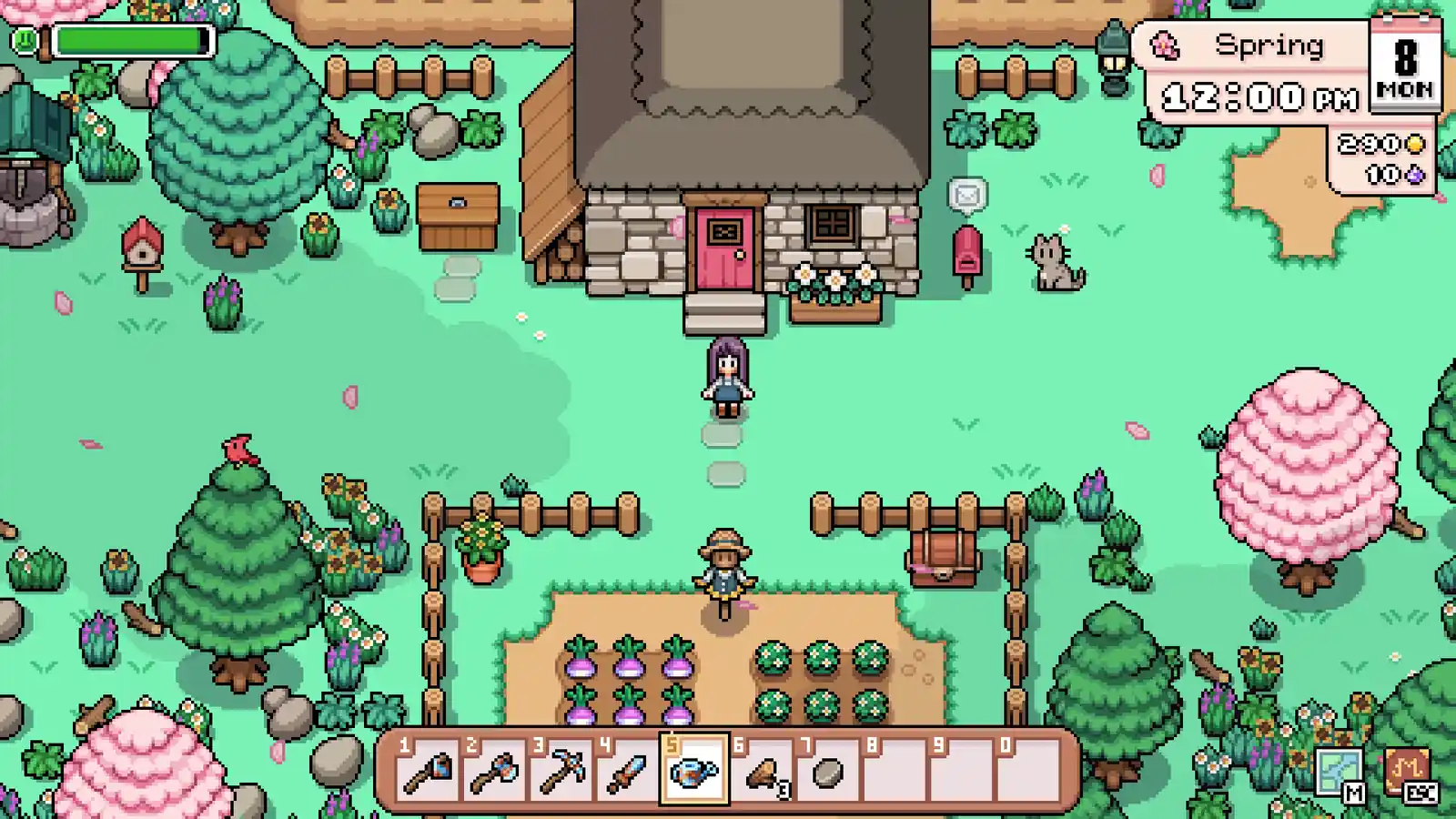
At four Spring days, Turnip’s listed first harvest fits; Strawberry needs five and Cabbage nine. Verify seed access and request use, care for existing plots, then take one named stop. If the day slips, recount the window instead of restarting.
A Spring seed purchase, crop-care task, or town detour competes for the same day—or a missed day changed the planting window.
Start with
Check existing plots, count days to the first harvest, and verify the live seed source.
Then do
Finish current crop care, then carry one named progression stop only if the route still fits.
Leave with
One supportable planting choice (or a clear no-plant decision) and one next objective.
Spring field ledger · 8 decisions
Route the day from the crop state—not from a perfect calendar
Read the situation that matches this save. Each row gives one action, the live check that can change it, and the assumption to avoid; the crop record and Planner handle the exact shortlist.
01
opening
Count to the first harvest before leaving the farm
A town errand or missed day has shortened the Spring window for a crop you may plant.
Do now
Compare days left before the intended first harvest with the crop row’s first-harvest Growth value.
Check
At four days, Turnip’s listed four-day first harvest fits; verify the live seed source and any active crop request.
Do not assume
Do not choose Cabbage’s nine-day first harvest for a four-day window, or read Strawberry’s three-day regrowth as its first harvest.
02
gathering
Verify seed access before committing a plot
A crop fits the season on paper, but the seed may depend on the current save’s shop or unlock state.
Do now
Read the crop’s Availability field, then check the live shop or confirmed source before spending.
Check
Carrot is listed as a six-day Spring crop with General Store access after an upgrade; confirm that gate in the save.
Do not assume
A conditional wagon listing is not a promise of current stock, and a listed sell value is not profit.
03
early-spring
Finish care for crops already planted
Existing crops still need their current farm action, while optional clearing or town travel is competing for the day.
Do now
Inspect the planted field and complete the crop-care action your live save shows before adding a detour.
Check
If Summon Rain is already unlocked, its listed effect waters all crops; use the live spell state, not a guessed unlock.
Do not assume
Do not clear the whole farm first or assume every spell, perk, or crop state is available in this save.
04
early-spring
Expand only to a field you can keep in the loop
A clear patch invites more planting, but adding plots also adds future crop-care work.
Do now
Choose the next plot count only after checking the seed window and the care already due on your field.
Check
Use the current crop list and live field state to decide whether today can support the expansion.
Do not assume
Do not treat empty or cleared land as a reason to plant beyond the routine you can repeat.
05
town
Choose one progression stop after the farm check
A request, restoration, or purchase competes with the crop plan for today’s route.
Do now
Name the town handoff that changes the next useful option, then take that stop after the farm check.
Check
Check the exact person, material, or crop input in its reference before making the trip.
Do not assume
Do not turn one named handoff into a full town sweep or sell a confirmed active input on the way.
06
farm-effects
Use a farm effect only when its trigger fits
A spell or perk could reduce today’s crop work, but the effect and unlock are not interchangeable.
Do now
Match the exact effect to the field: Growth matures a 3×3 crop patch; Summon Rain waters all crops.
Check
Check the live menu before relying on a spell or spending a perk point; Well Watered is chance-based.
Do not assume
Do not treat Well Watered as guaranteed next-day watering or assume an effect is unlocked because it appears in the reference.
07
town
End the day with one crop and one route note
The intended objective did not fit, or the result is unclear when you return from a stop.
Do now
Record what completed, which crop window remains, and the single next handoff before adding another task.
Check
Keep unfinished planting decisions reversible until the season, seed access, and request state still fit.
Do not assume
Do not buy or plant a replacement crop just to recover a sunk day; recheck the remaining first-harvest window.
08
recovery
Recover when a day or planting window slips
A detour or missed crop-care action has changed what can still fit in Spring.
Do now
Recheck existing crops, remaining days, first-harvest Growth, and live seed access before choosing the next action.
Check
If no confirmed first harvest fits, postpone that planting choice and complete one useful farm or town task instead.
Do not assume
A missed day does not require restarting the save; do not borrow a regrowth interval or another season’s crop to force a fit.
The route is deliberately seasonal, not day-numbered: compare the live Spring window and crop state each time a detour or delay changes the answer.
First-spring recovery
A missed day changes the crop window—not the save
Return to the live plots and Spring date first. Keep the completed handoff, recalculate first harvest and seed access, and carry one next job; do not force a planting choice because time was spent elsewhere.
Crop already planted, care missed
Inspect the current plot and do its live indicated care before expanding the field or adding a town detour. Do not infer harvest timing from a missed day alone; check the crop state.
New first harvest no longer fits
Recount Spring days and compare the candidate’s first-harvest Growth value. If no confirmed crop fits or its seed source is unavailable, defer the purchase and keep the completed farm progress.
One objective remains unfinished
Keep the named request, restoration, or unlock visible and choose the smallest compatible next step. Change the route decision that failed; do not restart the save or treat regrowth as the first harvest.
Natural next step
Move from the day route to the exact crop check
Use the Planner only when days or plots change the shortlist; use Crops to verify the selected row’s growth and live availability; use Spells & Skill Perks only when a recorded effect matches today’s farm job.
Share this guide
Send the answer when another player hits the same blocker.
Share the current Fields of Mistria route, or copy the link for Discord and group chat.
Continue with this game
More Fields of Mistria pages
Player questions
First-Season Farm Route FAQ
What crop fits a four-day Spring first-harvest window?
Turnip’s listed first harvest is four days, so it fits that window if the seed is available and no active request changes the choice. Strawberry’s first harvest takes five days and Cabbage’s takes nine.
Is Strawberry ready after three days?
No. The listed five-day figure is the first harvest; the separate three-day figure is regrowth after that first harvest.
Can I buy Carrot seeds at the General Store?
The crop record lists General Store availability after an upgrade. Check the live shop and your current save before committing; conditional wagon availability is not guaranteed stock.
What should I do after missing a farm day?
Inspect existing plots, recount days to the first harvest, and verify seed access and the active request. If no confirmed crop fits, defer that planting choice and carry one useful farm or town task forward.
Does this route give a fixed day-by-day schedule?
No. Use the season, planted crop state, live seed source, and today’s progression blocker; the route changes when those inputs change.